
No products in the basket.
If you are new to GBFM, you may wonder what happens after you create a product, how customers find your items and what the full order process looks like. This guide gives you a simple overview of how selling works from beginning to end. You do not need to memorise everything. Just understanding the flow will help you feel more confident as you start.
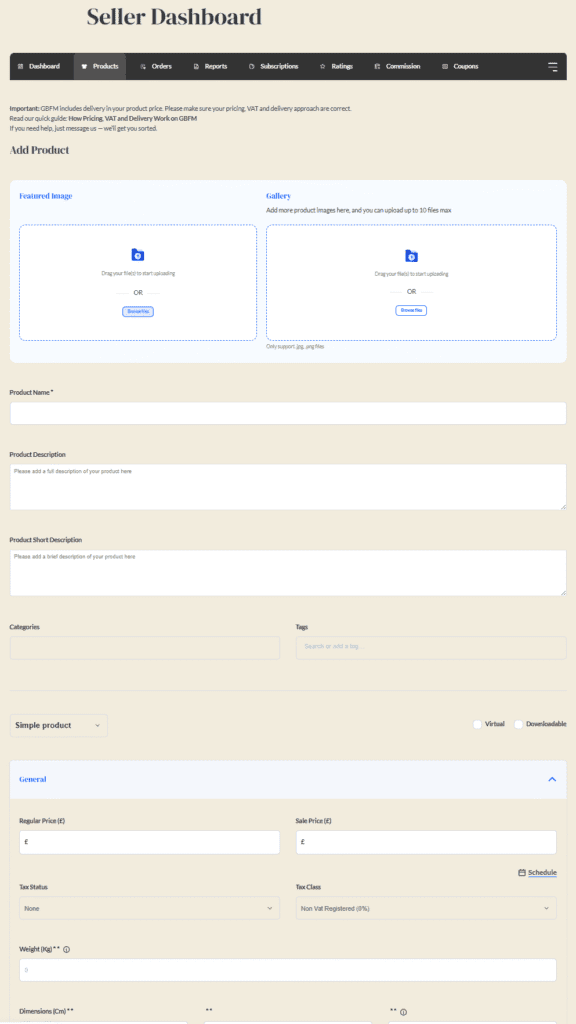
Everything begins when you create a listing in your seller dashboard.
You will add:
Once published, your product becomes visible in:
Customers discover your products by:
Your listing does not need to be perfect to attract attention. Clarity and honest photos help more than anything else.
When a customer buys your product, you receive:
Customers pay GBFM at checkout through secure payment processing.
You do not need to manage payments manually.
Once you receive an order, you:
Updating the order status helps customers feel informed and reduces questions.
If you need guidance, see the Delivery and Packaging articles in the Knowledge Base.
The customer receives their parcel and may:
Communication with customers stays inside your dashboard for safety and clarity.
GBFM uses Stripe Connect to handle payments securely.
This means:
Your payout is automatically sent to your bank account based on Stripe’s payout cycle.
For details, see the Payments and Fees section.
After your first sale, you may:
Strong customer communication helps build trust. Use the Customer Message Templates if you are unsure how to reply.
Understanding roles makes everything feel simpler.
You focus on making. GBFM focuses on visibility and tools.
No. GBFM handles platform marketing.
No. Your shop page on GBFM acts as your online shop.
The Customer Support guides will help you navigate any issues.
Here is the full flow in simple steps:
The whole process is straightforward and becomes second nature with practice.
If you have questions or want support from other sellers, visit the Seller Community on HumHub:
https://social.greatbritishfarmersmarket.co.uk/
Return to the Knowledge Base:
https://greatbritishfarmersmarket.co.uk/knowledge-base/
Leave a Reply